Developer Information
Company: UserLAnd Technologies
Address: UserLAnd Technologies, LLC 10258 SW 67th Ave. Tigard, OR 97223
Website: Support Web
Email: Support Email
Privacy Policy: Privacy Policy
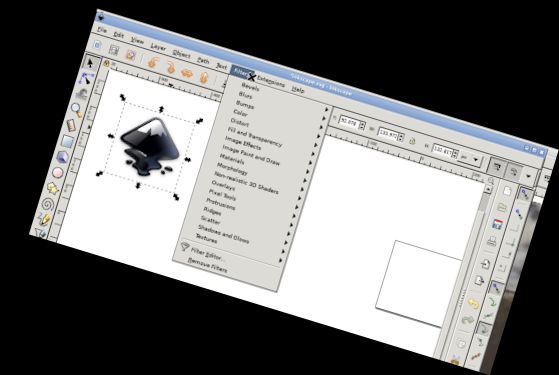
This is the actual Inkscape running on your device. It's fully featured and professionally supported.
Inkscape is a free and open-source vector graphics editor for creating vector images, mainly in Scalable Vector Graphics (SVG) format. It also imports and exports other formats.
Inkscape can create primitive vector shapes (e.g. rectangles, ellipses, polygons, arcs, spirals, stars and 3D boxes) and text. These objects can be filled with solid colors, patterns, radial or linear color gradients and have borders stroked with adjustable transparency. Raster graphics can be embedded and optionally traced, allowing vector graphics creation from photos and other raster sources. Created shapes can be manipulated with transformations, such as moving, rotating, scaling and skewing.
Using the Inky Android app:
Use it normally, but note these Android interface specifics.
* Tap with one finger to left click.
* Move the mouse by sliding one finger.
* Zoom with pinch.
* Press and hold, then slide one finger to pan (useful when zoomed in).
* Scroll by sliding two fingers up and down.
* Tap the screen to get icons, then click the keyboard icon to bring up a keyboard.
* Tap with two fingers for the equivalent of a right click.
* To change desktop scaling, find the android notification and click settings. Restart the app after changing this setting for it to take effect.
This is easier on a tablet with a stylus, but possible on a phone or with a finger.
To access Android files, use the links in your home directory (/home/userland) to places like Documents, Pictures, etc. No need to import or export files.
If you can't pay for this app, you can run Inkscape via the UserLAnd app.
Licensing:
This app is released under the GPLv3. The source code is here:
https://github.com/CypherpunkArmory/Inkscape
The icon is based on the Inkscape Logo, licensed CC-By-SA 3.0, by Andrew Michael Fitzsimon.
This app is not created by the main Inkscape development team, but rather an adaptation allowing the Linux version to run on Android.
Versions
-
0.0.3
—
·
Download
Android 5.0+
Add ability to change display preferences
Includes scaling and orientation, as well as rotation lock.