
Developer Information
Company: UserLAnd Technologies
Address: UserLAnd Technologies, LLC 10258 SW 67th Ave. Tigard, OR 97223
Website: Support Web
Email: Support Email
Privacy Policy: Privacy Policy
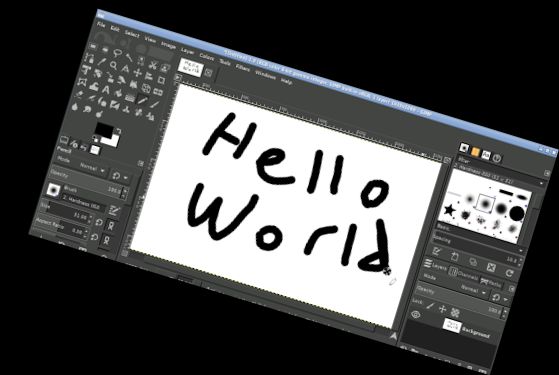
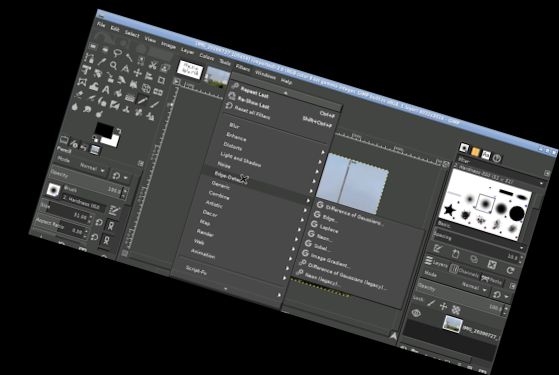
This is the powerful GNU Image Manipulation Program, GIMP, on your device. It's fully featured and professionally supported.
GIMP's capabilities:
GIMP has numerous features, which can be found on the GIMP website: https://www.gimp.org/about/introduction.html
In brief, it offers everything you'd expect from a professional photo and image editing and creation program.
Using the GIMP Android app:
Interact with it as you normally would. Here are some Android-specific details.
* Single-finger tap for left click.
* Slide one finger to move the mouse.
* Pinch to zoom in or out.
* Press and hold, then slide one finger to pan (especially useful when zoomed in).
* Slide two fingers up and down to scroll.
* To access the keyboard, tap the screen to display icons, then select the keyboard icon.
* Use a two-finger tap for right-click functionality.
* To adjust desktop scaling, find the Android notification, click settings, and restart the app.
This app is more intuitive on a tablet with a stylus, but it can also be used on a phone or with your finger.
Accessing files from other Android apps is easy, with convenient links in your home directory (/home/userland) to folders like Documents and Pictures. No need to import or export files.
If you prefer not to purchase this app or are unable to do so, you can run GIMP through the UserLAnd app.
Licensing:
This app is released under GPLv3. The source code is available here:
https://github.com/CypherpunkArmory/gimp
The icon, Wilber, is based on a vector image (SVG) by Jakub Steiner, licensed under Creative Commons by-sa 3.0.
This app is not developed by the core GIMP team, but rather an adaptation that enables the Linux version to run on Android.
Versions
-
0.0.5
—
·
Download
Android 5.0+
Only ask for display preferences when launching a new session